
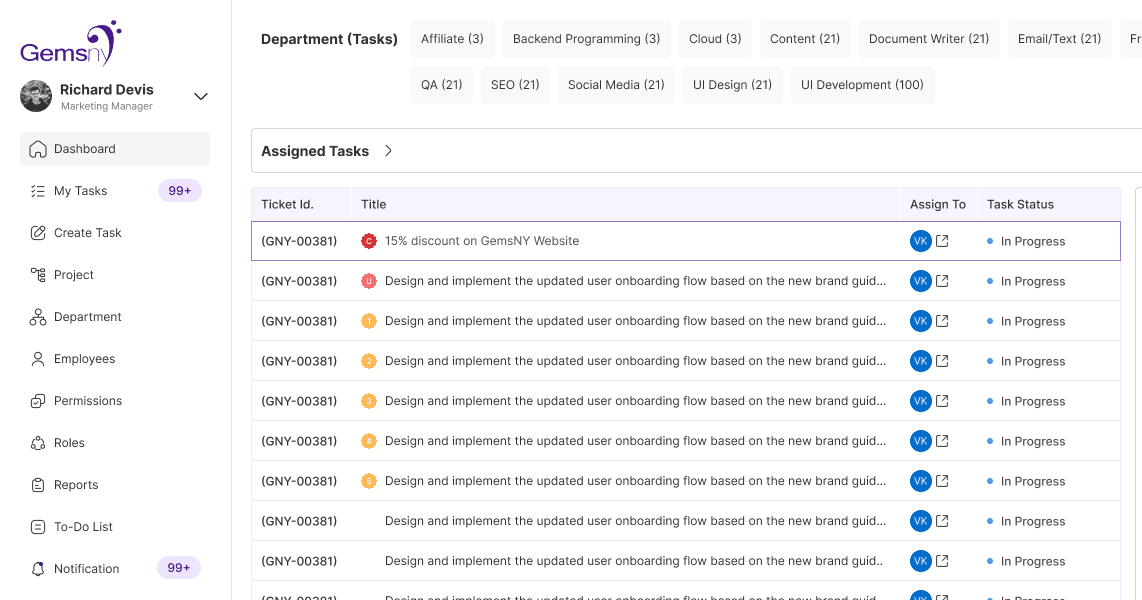
Streamlining workflows, improving visibility, and enabling teams to manage tasks efficiently in one unified system.
Context
ETM is an employee and task management platform built to help teams plan, track, and manage their work in a structured way. It enables managers to monitor progress and make informed decisions, while helping employees stay organized, aligned, and productive in their day-to-day tasks.
Role
Lead Product Designer (UX Research,
Information Architecture,
Interface Design, Component Integration).
Team
Navneet Bhardwaj (PM)
Product Designer(Me)
Harsh, Vikas and Rupa (Developers)
Timeline
Shipped MVP in 3 months
The "Behind the Scenes" Story
As our team started growing, our day-to-day operations began to outgrow our tools. We were relying heavily on scattered spreadsheets across different departments to track tasks and
employee status. Every time a task moved from one person to another, it was manually re-entered, leading to a lot of duplication and confusion.
Problem Statement
Employees and managers struggled to manage tasks and track progress across multiple disconnected tools. The lack of clear workflows and centralized visibility led to missed deadlines, reduced productivity, and difficulty in monitoring team performance.
Solution
To address fragmented workflows and lack of visibility, I designed a centralized employee and task management system that simplifies task tracking, improves clarity, and enhances team collaboration.
The solution focused on:
• Centralized Dashboard for Visibility
A unified dashboard to track tasks, team progress, and updates in real time—helping managers get a clear overview without switching tools.
• Simplified Task Management
Introduced clear task structures with priorities, statuses, and deadlines, making it easier for employees to manage and complete tasks efficiently.
• Clear Ownership & Accountability
Enabled task assignment, ownership, and activity tracking to reduce confusion and ensure responsibility across teams.
• Intuitive Navigation
Streamlined the interface to reduce cognitive load, allowing users to quickly access key actions and information.
• Actionable Insights
Designed progress indicators and summaries to help managers identify bottlenecks and make faster decisions.
Step 1: Stakeholder & Manager Discovery Interviews
Conducted 1-on-1 discovery meetings with overseas stakeholders and local managers to uncover their operational pain points, communication bottlenecks, and reporting requirements.
This ensured the product was built to solve real business and human problems (meeting fatigue, data inconsistency, and manual tracking) rather than making assumptions.
Key Insights from Discovery Meetings/Pain Points
Conducted 1-on-1 discovery meetings with overseas stakeholders and local managers to uncover their operational pain points, communication bottlenecks, and reporting requirements.
This ensured the product was built to solve real business and human problems (meeting fatigue, data inconsistency, and manual tracking) rather than making assumptions.
Scattered Data
Consolidating spreadsheets from different departments felt like putting together a puzzle without all the pieces
Repetitive Work
Consolidating spreadsheets from different departments felt like putting together a puzzle without all the pieces
Unproductive Syncs
Explaining every little update to overseas stakeholders took up a lot of time, dragging down the team's energy and focus.
Task Tracking Confusion
Hard to follow tasks across multiple stages; a single task (e.g., designing a landing page) gets duplicated across departments and marked .
Priority Shifts & Timeline Changes
Frequent adjustments occur without proper reasoning or record, causing confusion and lost context.
Fragmented Tools
Multiple spreadsheets and apps make task updates inconsistent and error-prone
Lack of Visibility
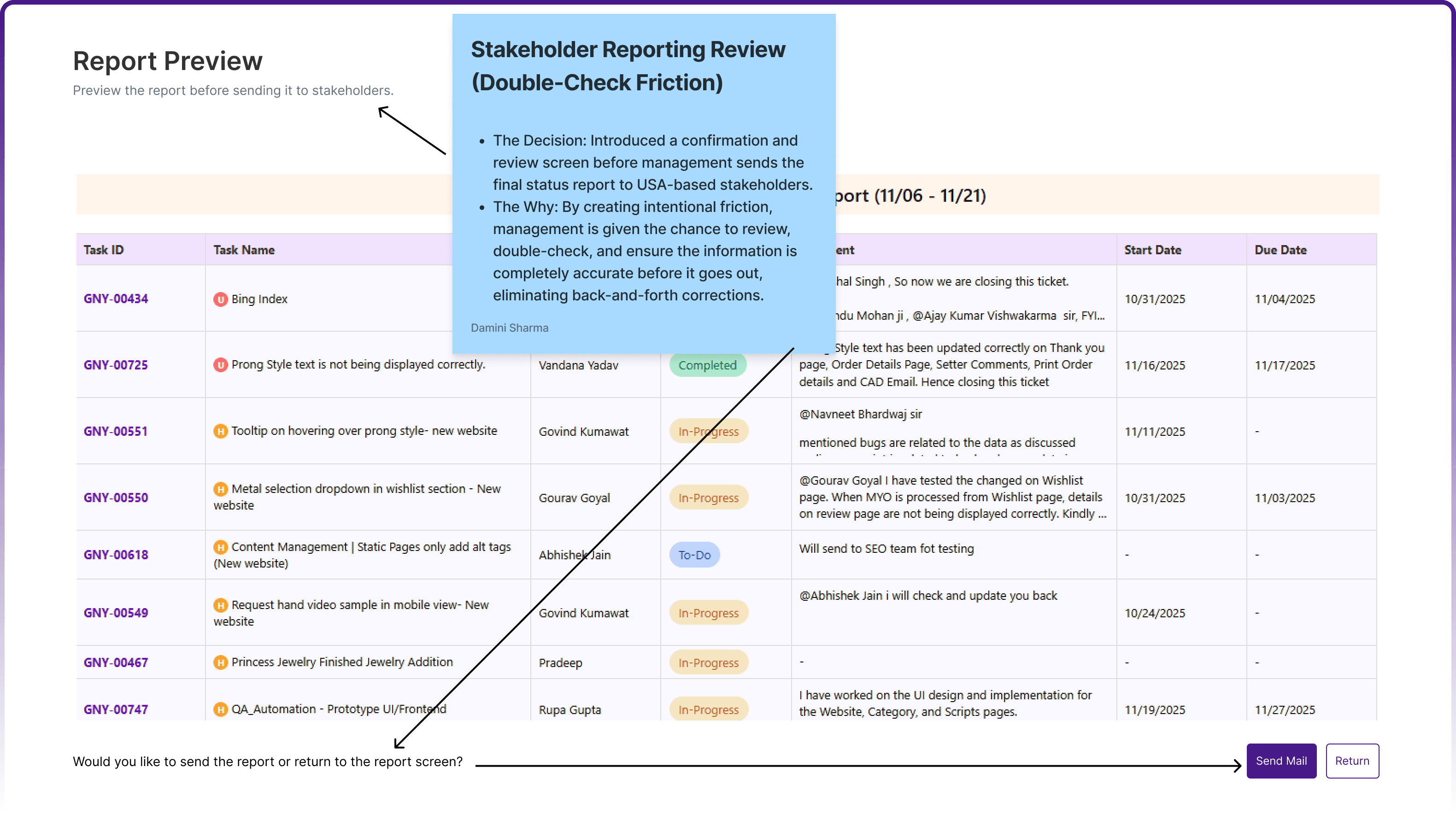
Managers and stakeholders cannot easily track team progress, especially department-wise reports for stakeholders in the USA.
Inefficient Feedback & Reminders
Employees are not reminded to update comments or task status, leading to incomplete progress tracking.
Missed Deadlines
Notifications and reminders are inadequate, resulting in delayed work and untracked tasks.
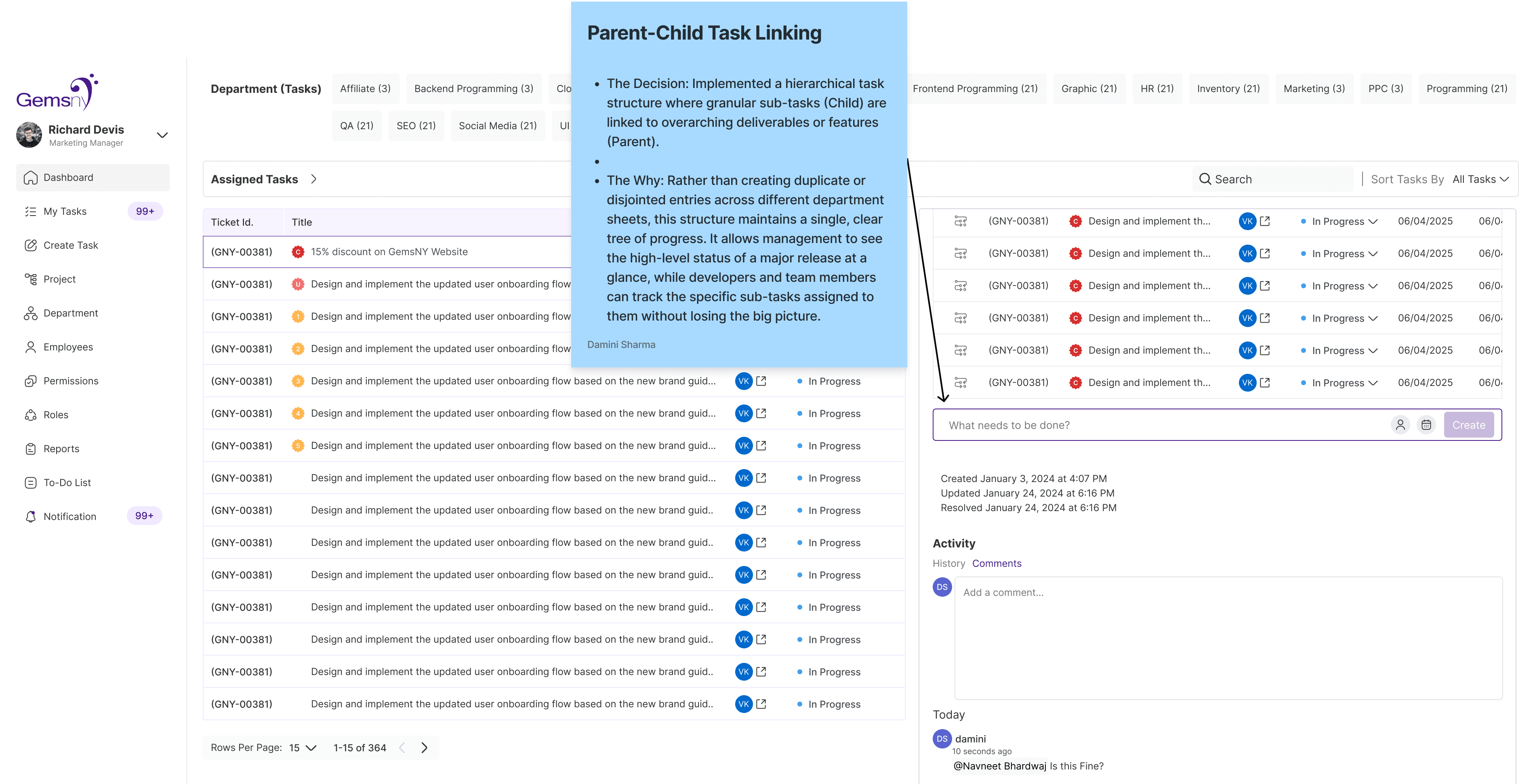
Complex Dependencies – Linking tasks, milestones, and departmental handoffs is difficult and unclear.
Complex Dependencies
Linking tasks, milestones, and departmental handoffs is difficult and unclear.
Wasted Meetings
PMs and team leads spend excessive time explaining tasks and updating stakeholders instead of focusing on actual work.
Missed Deadlines
Notifications and reminders are inadequate, resulting in delayed work and untracked tasks.
Complex Dependencies – Linking tasks, milestones, and departmental handoffs is difficult and unclear.
User Personas
Stakeholder
Needs self-serve, at-a-glance visibility without scheduling status syncs.
Manager
Needs a consolidated, accurate view to track team velocity and report to stakeholders.
Employee
Needs a fast, familiar, and non-intrusive way to log time and update status.
Challenges i have faced as designer
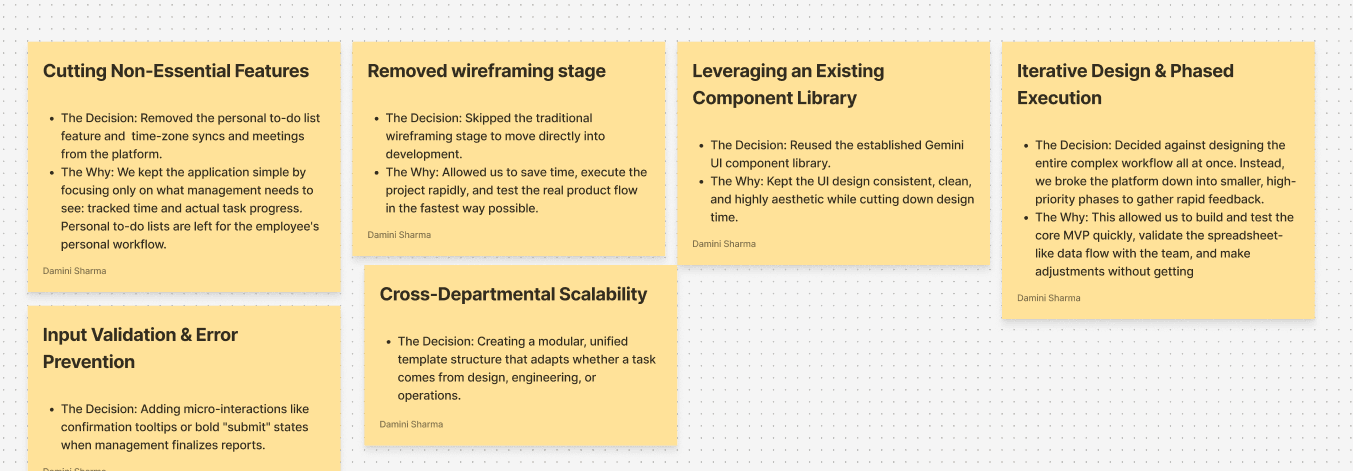
The team was highly accustomed to the raw data density of traditional spreadsheets. Shifting them to a heavily stylized dashboard introduced a steep learning curve, yet adding too much visual clutter would ruin the aesthetic and slow down the team.
Fighting the temptation to include chat, personal notes, time-off requests, and personal to-do lists creates bloated interfaces that employees and managers stop using due to complexity.
The fast-paced timeline meant there was no room for lengthy, traditional UX phases like creating multiple wireframe iterations or building a custom UI kit from scratch.
Matching Timelines with Devlopers
Major Key Design Decisions in Discovery Phase
Major Key Design Decisions in Design Phase
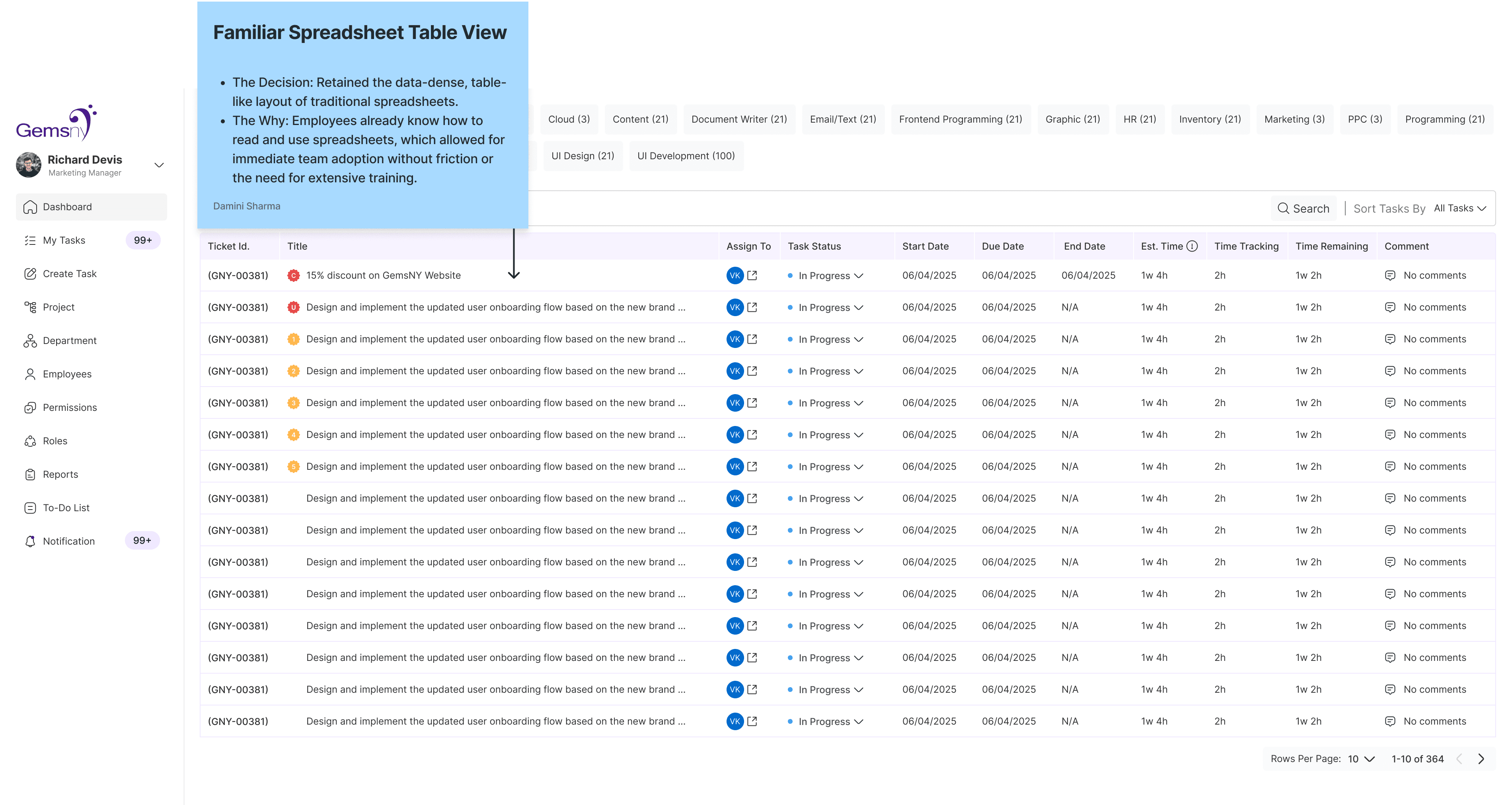
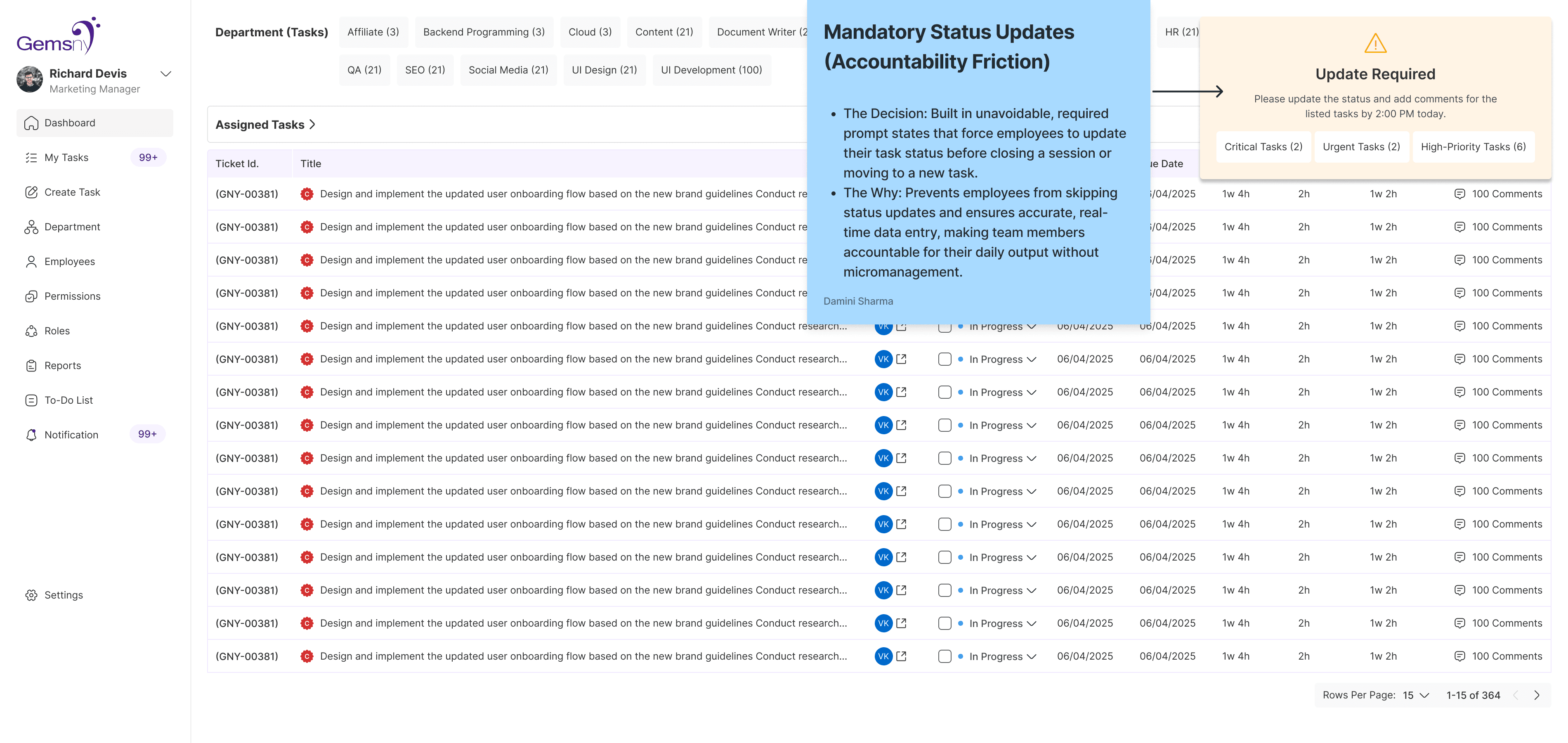
Task Dashboard Admin, employer and employee– Clear overview of all tasks and statuses
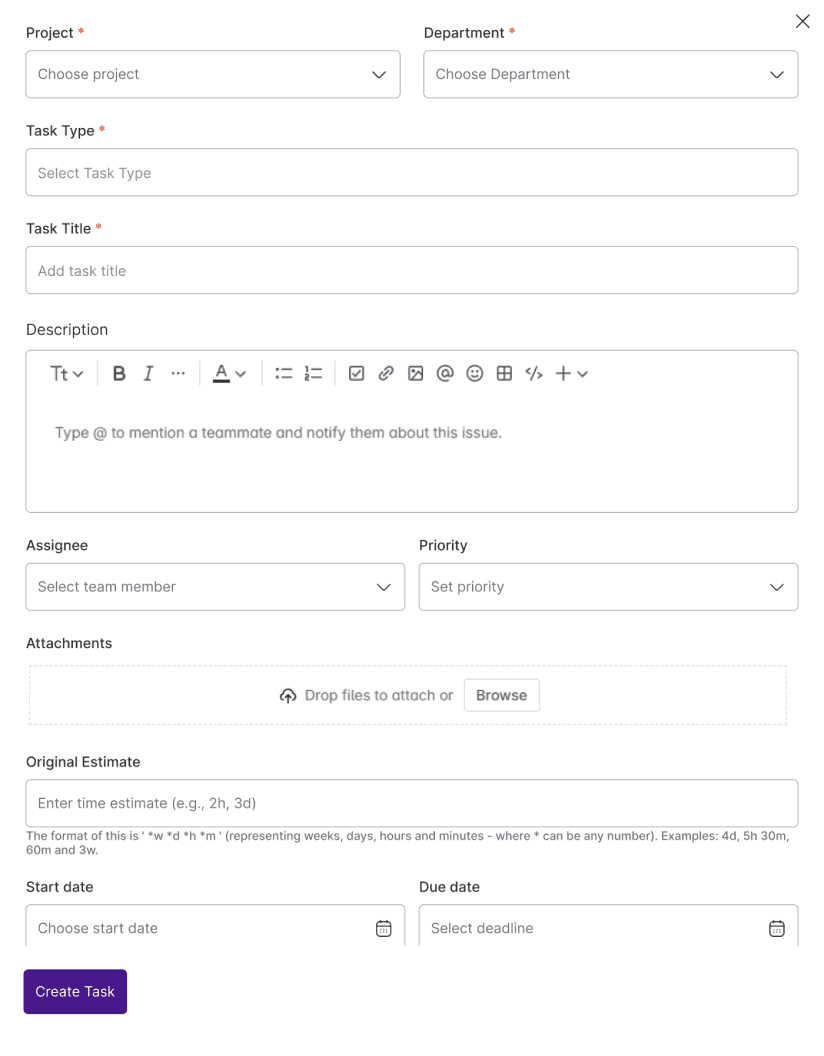
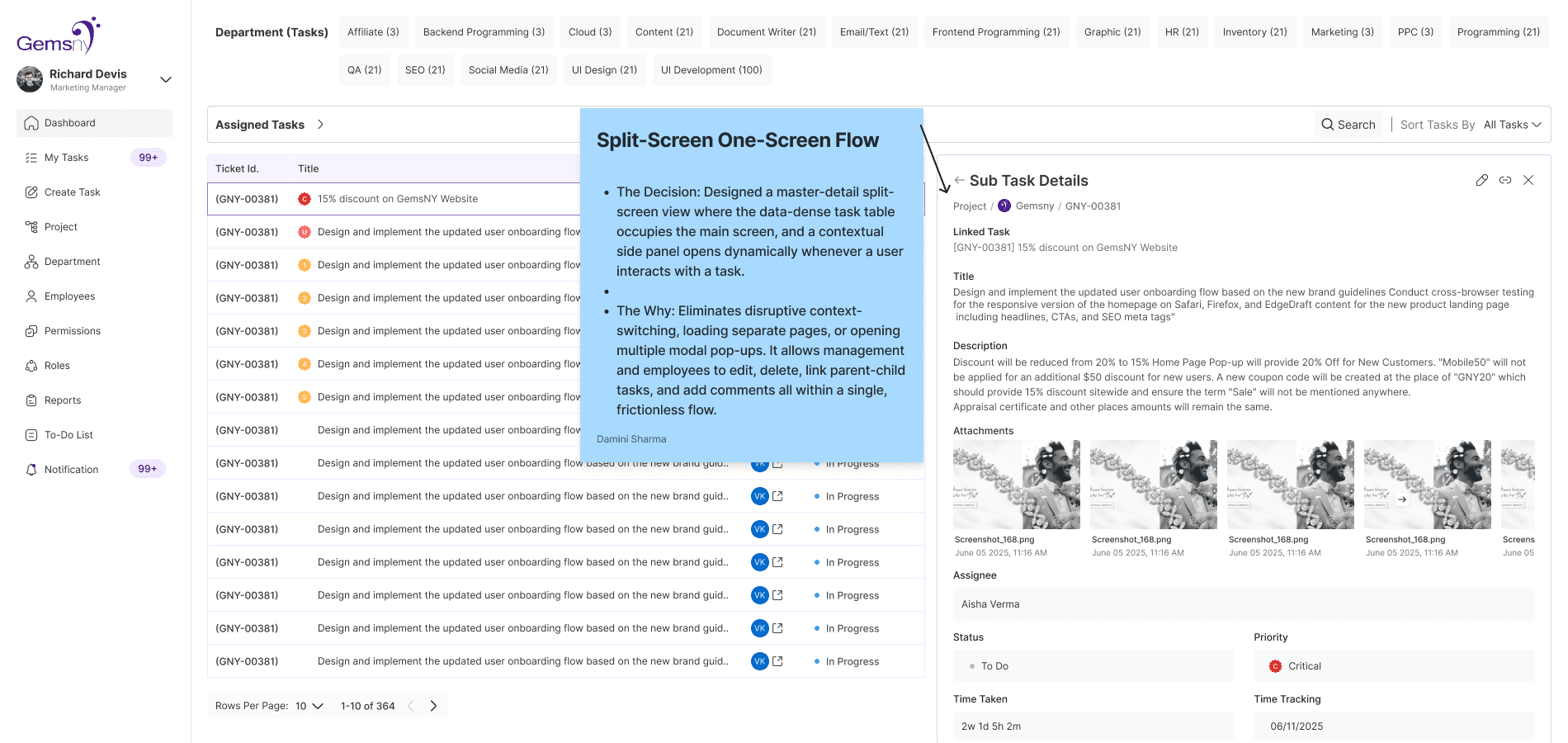
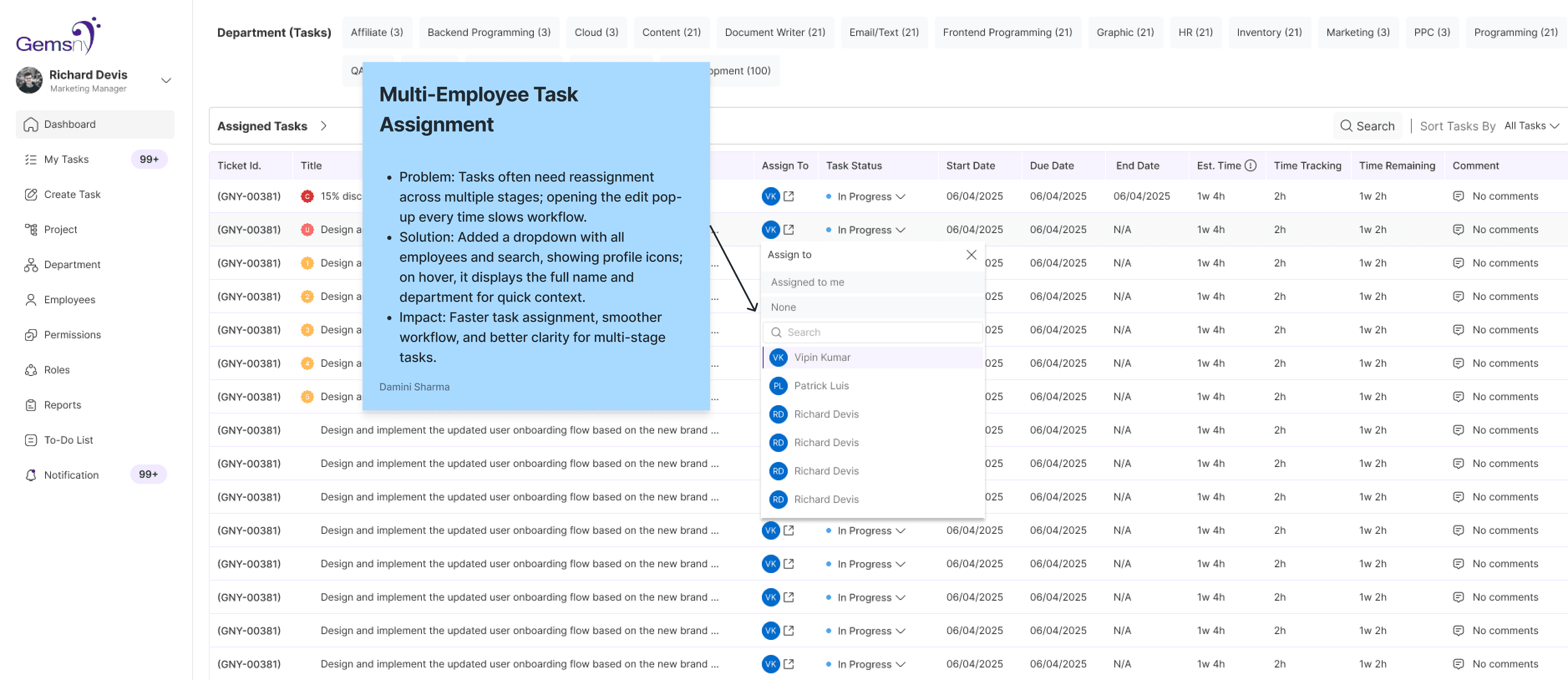
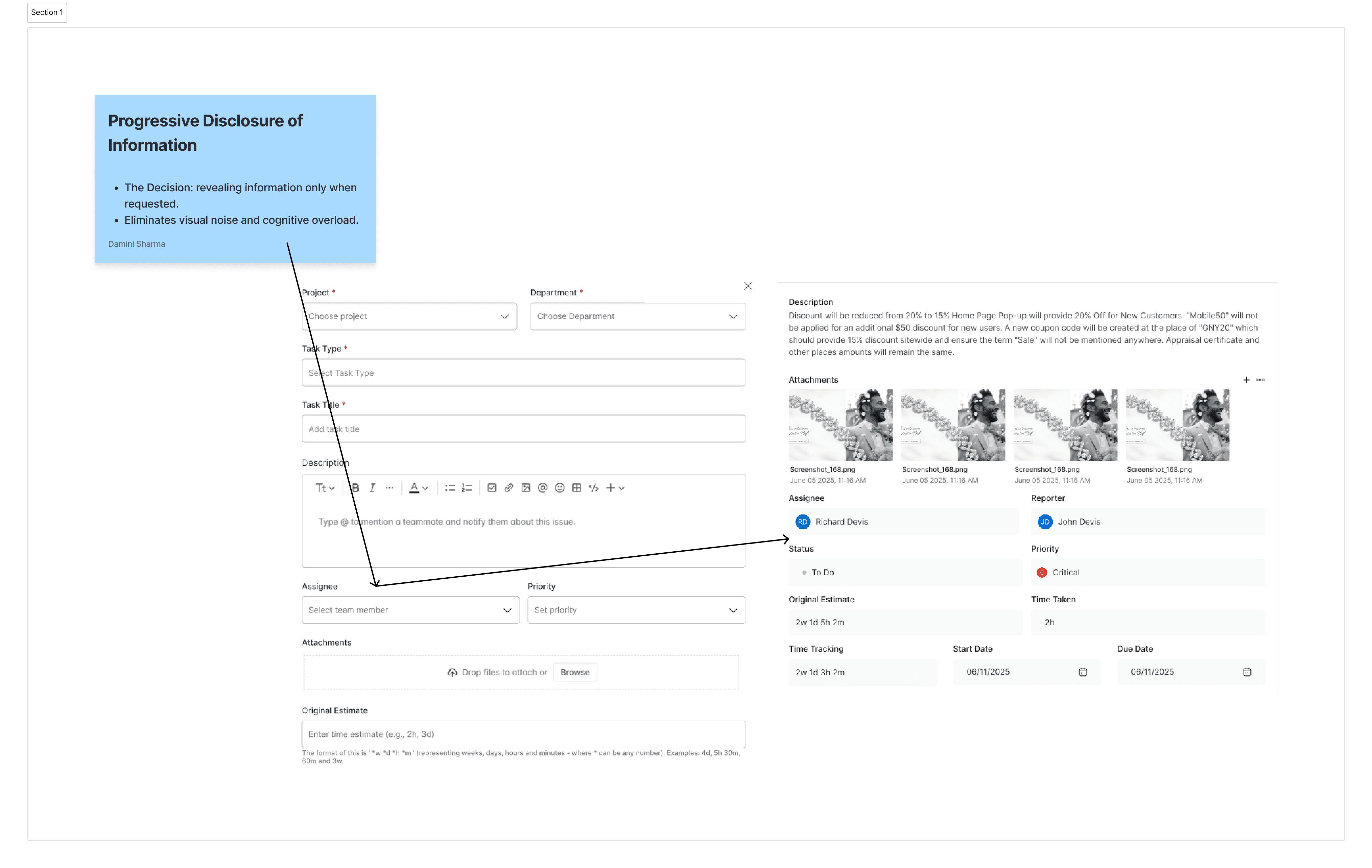
Task Creation, Edit & Assignment Flow – Multi-stage task setup with priorities and deadlines
Feedback Flow – Streamlined task feedback and updates
Profile – Employee profiles with roles, tasks, and performance overview
List Views – Flexible task visualization for employees and managers
Progress Tracking Widgets – Real-time updates and completion indicators
Notifications & Reminders – Automated alerts for deadlines and task changes
Report Flow – Insights on workload, productivity, and bottlenecks
Task Dependencies & Milestone Tracking – Efficient management of linked tasks
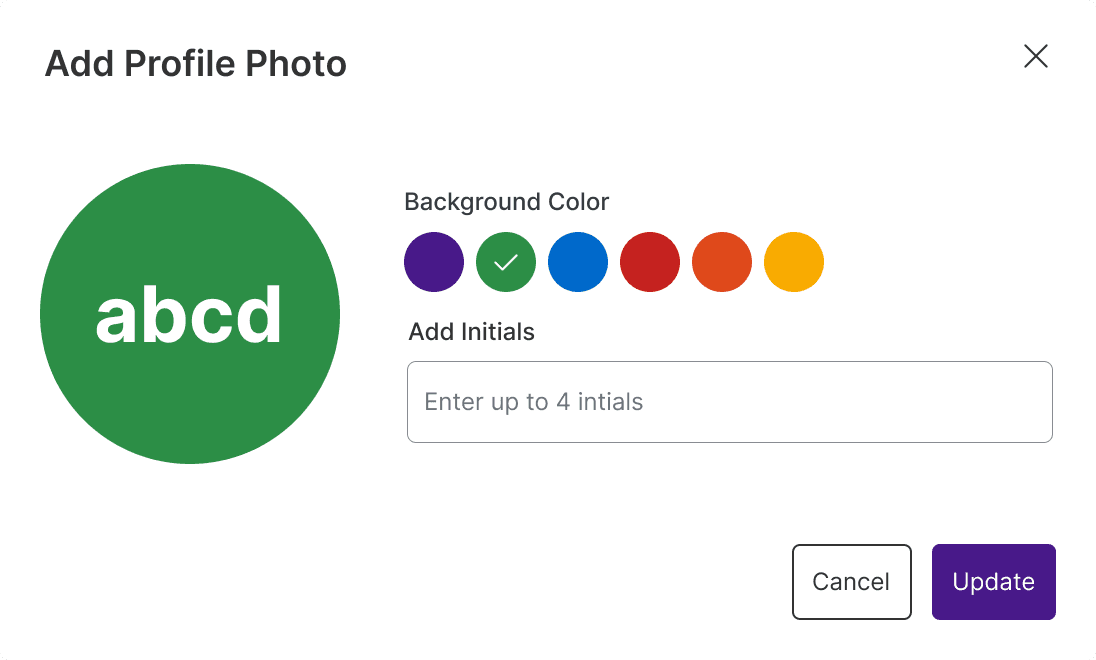
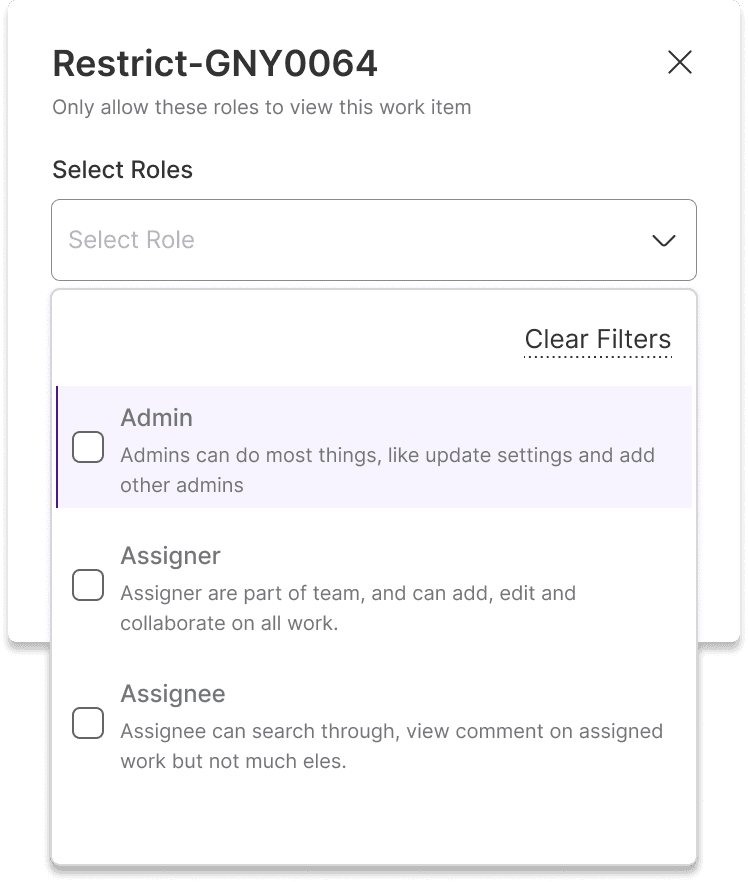
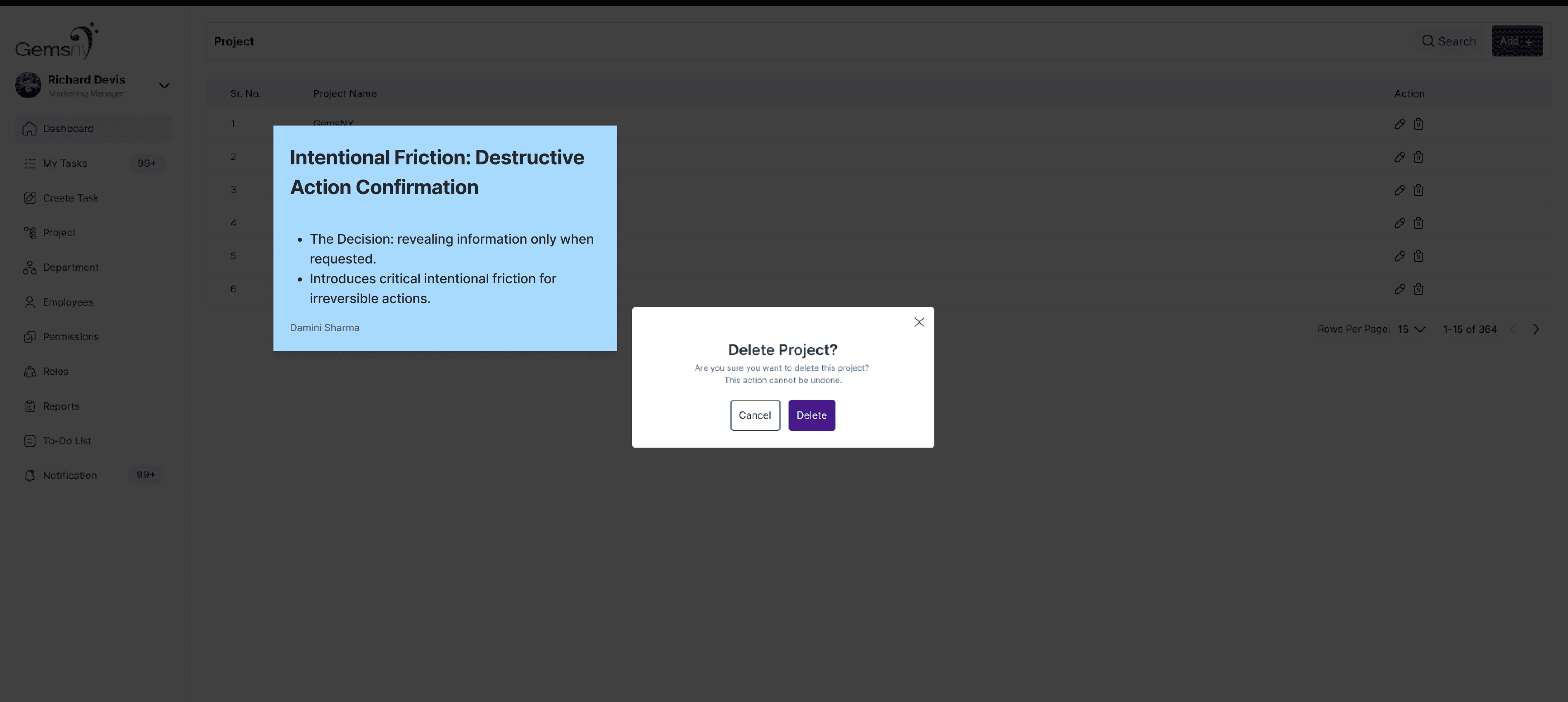
Design System Components – Buttons, cards, tables, and interactions for scalable use